 TruePx
 Docs / Side panel
Page tab
The page as a whole: how heavy it is and what makes it heavy, its color palette and type styles, every image and SVG ready to download, the technologies it’s built with, and the pins on it.
Open it#
Open the side panel (0 or the dock button) and choose Page. The header shows the page title and address. The page is read when TruePx starts; if it changed since (new content loaded, you scrolled to lazy images), click Refresh.
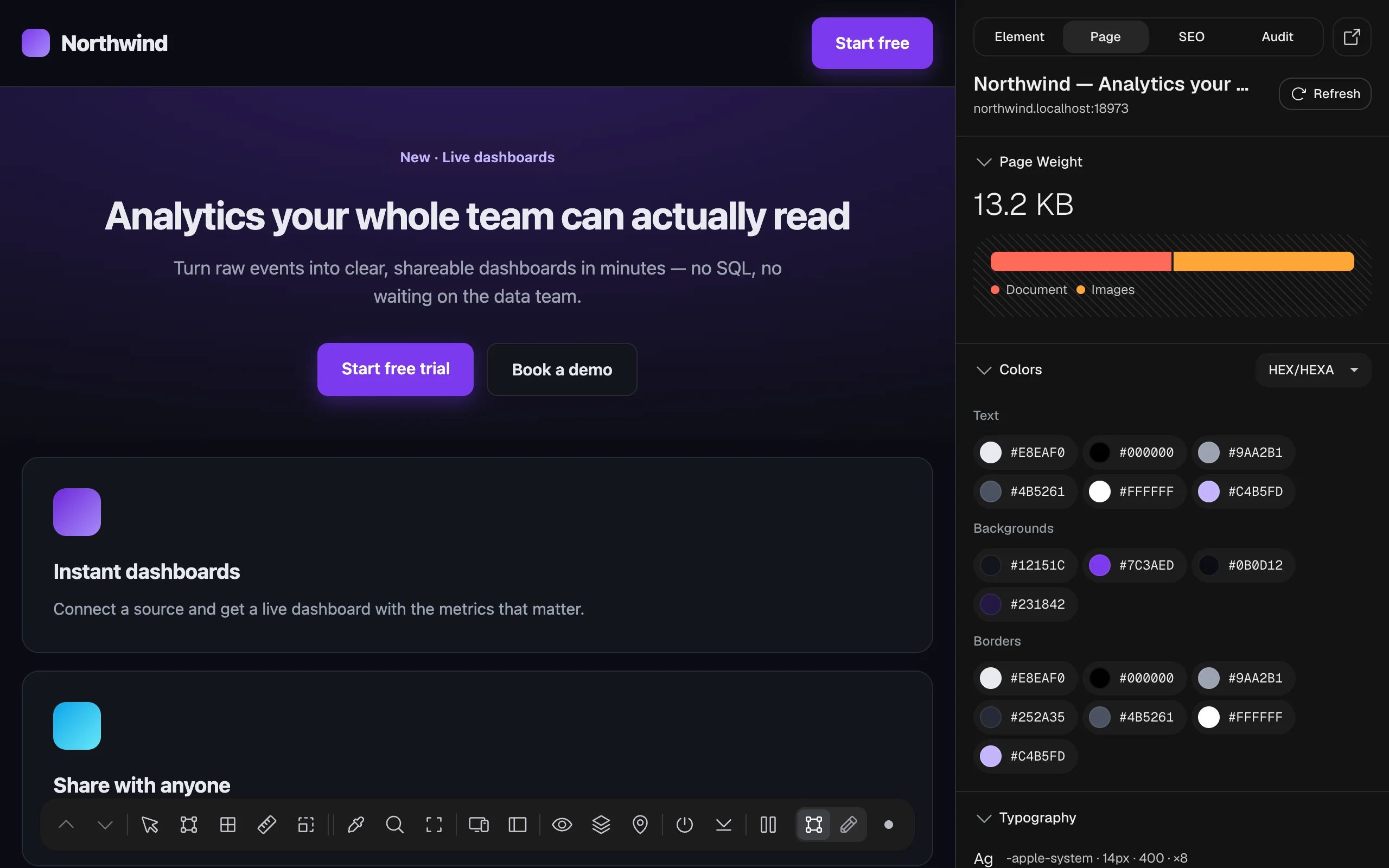
Page Weight#
The total size of everything the page has downloaded, and a bar split by type: Document (the HTML), Scripts, Stylesheets, Images, Fonts, Media, Fetch/XHR (data loaded by scripts) and Other. Hover a part of the bar, or a name under it, to see its size and how many files it has.
It’s read from the browser’s own timing records for this visit. Files from other sites that don’t share their size (a browser privacy rule) count as zero, so the real total can be higher. For an exact, file-by-file measurement, use Measure the real page load in the Audit tab.
Colors#
Every color the page uses on screen, grouped into Text, Backgrounds and Borders (up to 16 of each). It’s the quickest way to pull a site’s palette, or to spot five slightly different greys that should be one. Click a color to copy it; the menu switches between HEX, RGB, HSL and HSB.
Typography#
The 12 most used text styles on the page, each as font family · size · weight · how many times it’s used (for example -apple-system · 15px · 400 · ×7), with an “Ag” sample in that style. Use it to find the fonts a site uses and to check that body text, headings and buttons follow a consistent type scale.
Assets#
The images and inline SVGs on the page as a grid of tiles, with a count (“1 images · 3 SVGs”). Each tile shows the format and size; click a tile to download that file. The first two rows show at first; open the rest with Show all under the grid. The sun/moon button puts the tiles on a dark background, so white logos and icons are visible.
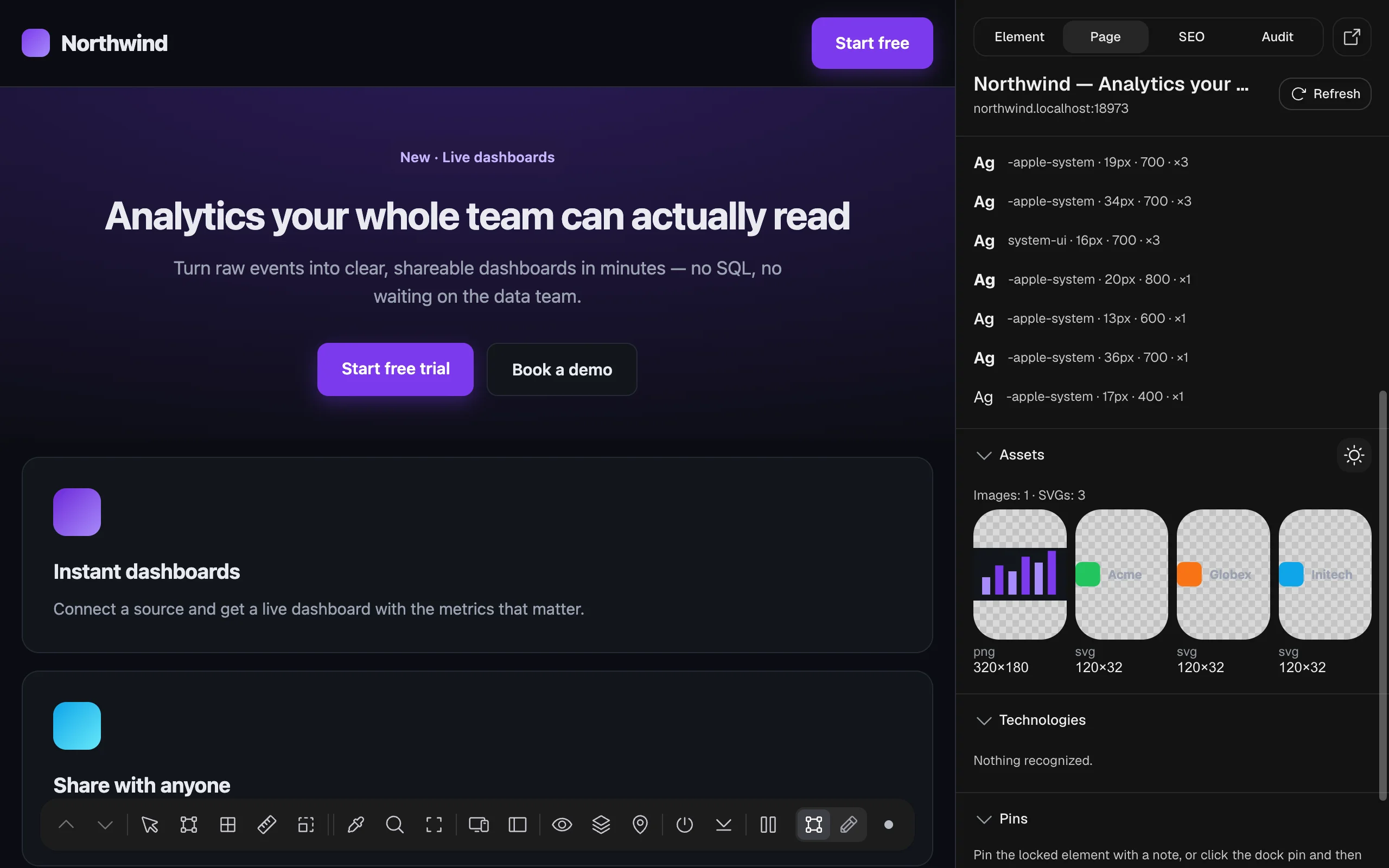
The grid lists up to 40 images (including CSS background images) and 20 SVGs; 1 × 1 tracking pixels are left out. A page with no images or SVGs shows “No data yet.”
Technologies#
Frameworks, site builders and tools the page uses, with their version when the page exposes it. TruePx recognizes: React, Next.js, Vue, Nuxt, Angular, Svelte, Astro, Remix, Tailwind CSS, Bootstrap, MUI, WordPress, Shopify, Wix, Sanity, Contentful, Vite, D3, Three.js, Chart.js, GSAP, Framer Motion, GA4, Plausible, PostHog, Sentry, jQuery and Alpine.js. Hover a name to see its category. “Nothing recognized.” means none of these were found.
Pins#
The notes pinned to elements on this page. Select an element, type a note and click Pin selection to add one. Each pin shows its element’s path and note, with Show (scroll to it), Resolve / Reopen and Delete. See Pins for the full workflow, and AI agents for having an agent work through them.